WhatsApp appointment reminders: a practical guide for service businesses
8 October 2026

The most practical way to cut no-shows is to automate WhatsApp appointment reminders through an integration that combines approved templates with an assistant that handles confirmations and cancellations. With the right template, a synced diary and documented client consent, you get fewer no-shows, cancellations handled without phone calls, and hours of admin work back every week.
In short:
- Integrating the WhatsApp Business API lets you send automated reminders at scale, as long as the templates are approved and connected to your diary or CRM.
- You must obtain and document express, specific consent from each client to receive messages, to avoid legal complaints over unauthorised messages.
- Low-volume businesses can start with simple tools and basic integrations, while high-volume companies benefit from AI assistants or bespoke integrations.
- Message quality and timing, such as sending reminders 48 to 72 hours ahead and a final nudge an hour before, affect the confirmation rate and how far no-shows fall.
- Automating on WhatsApp complies with the law as long as consent is legitimate and you are transparent about how personal data is processed.
Table of contents
- How WhatsApp reminders work: technical flow and requirements
- Practical options for sending reminders: which model to choose
- Step-by-step guide to setting up automatic reminders
- Messages, tone and timing: templates that cut no-shows
- Legal compliance and good practice in Spain
- What a virtual assistant adds to managing reminders
- Perspective: when it makes sense to move to conversational automation
- How we help you organise your appointments on WhatsApp
- Frequently asked questions
- Sources
How WhatsApp reminders work: technical flow and requirements
Every automatic reminder starts with a source record: a booking form, a CRM or a calendar such as Google Calendar. That phone number should be checked as active on WhatsApp before you schedule anything.
There are two routes here. The free WhatsApp Business app works for low volumes and manual handling. The WhatsApp Business API, on the other hand, allows automatic sending at scale and needs a technical integration, either your own or through a BSP provider.
The workflow is always the same: a trigger (the appointment date) fires a pre-approved template, the message is sent, the client replies to confirm or cancel, and that reply updates the diary with no manual step.
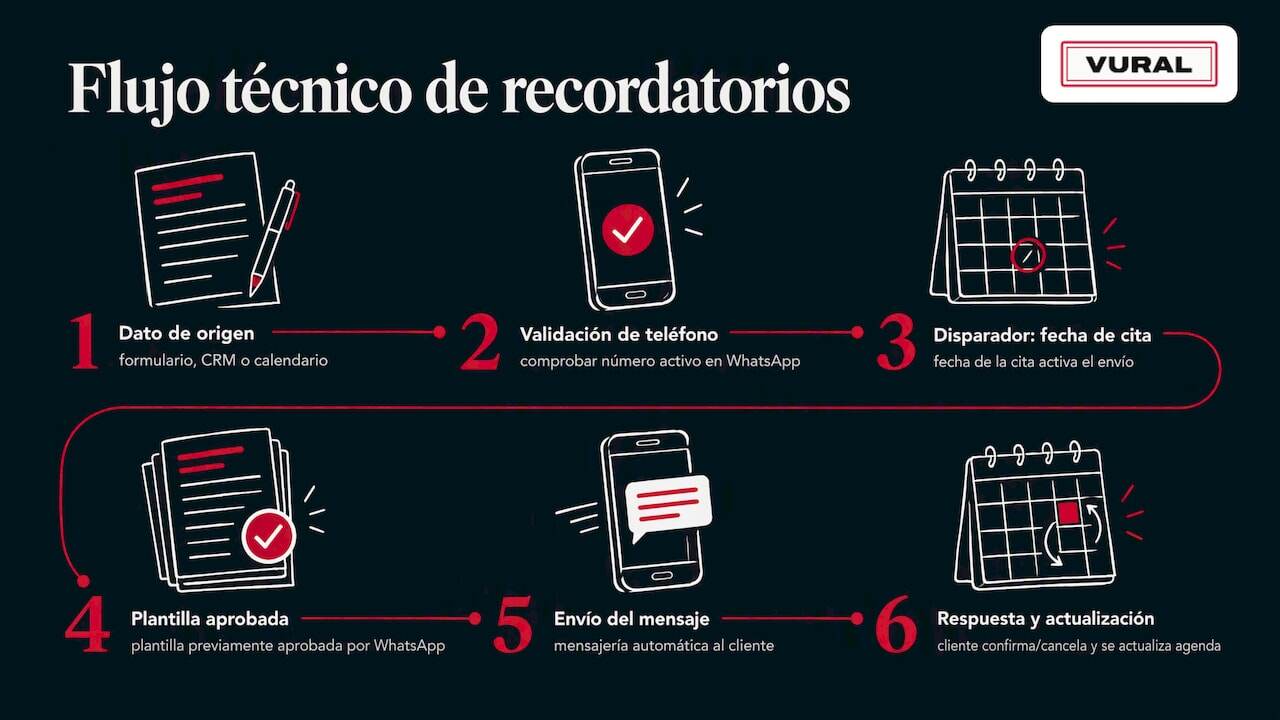
The main limitation is the templates: they must be approved before use, have daily sending limits and need a real integration with your calendar or CRM so the update is automatic rather than one more manual step.
Practical options for sending reminders: which model to choose
Not every business needs the same setup. The choice depends on your number of appointments, whether you need a real conversation with the client and your budget.
- Booking tools with built-in reminders: quick to set up, but with rigid templates and little personalisation.
- WhatsApp Business API through a BSP: scales well and is reliable for high volumes, although it requires templates to be approved in advance and some technical knowledge.
- AI-powered virtual assistant: automates not just sending but also replying, fills cancelled slots and holds natural conversations with the client.
- Bespoke integrations via CRM: flexible, but they require development or technical setup beforehand.
A business with few appointments a week can start with the built-in option. As soon as the number of conversations grows or you need to handle cancellations in real time, the API or a conversational assistant is worth the investment.
Step-by-step guide to setting up automatic reminders
Setting up reminders does not require a development team, but it does need a clear order of tasks.
- Prepare your client database and check that every number has WhatsApp active.
- Record express consent from each client to receive messages through this channel, and keep the evidence.
- Design the templates with clear variables: name, service, date, time and a link to confirm or cancel.
- Set the triggers and timing: for example, 72-48 hours ahead, a reminder at 24 hours and, if the service calls for it, another one or two hours before.
- Configure the automatic actions for confirmation and cancellation so they update the diary with no manual step.
- Run a pilot with a small group of clients, check the sending logs and measure deliveries, confirmations, cancellations and no-shows before rolling it out to all your clients.
Pro tip: start by testing with the clients of a single day of the week before switching reminders on across the whole diary: that way you catch template errors without affecting the rest of the business.
Messages, tone and timing: templates that cut no-shows
What the message says matters as much as when it arrives. A useful reminder is short, names the service and gives the client a clear action.
- Reminder template: "Hi {{client_name}}, a reminder of your {{service}} appointment on {{date}} at {{time}}. If you need to change it, just reply to this message."
- Confirmation template: "Thanks for confirming your appointment on {{date}}. See you then."
- Cancellation template: "We have recorded the cancellation of your appointment on {{date}}. You can book another time whenever you like."
- Recommended timing: one reminder 48-72 hours ahead for appointments that need preparation, and another at 24 hours or even an hour before for short services.
- Tone: direct and helpful, never promotional; mixing a reminder with a sales offer without specific consent is a common mistake.
Testing two versions of the same template at different times, a simple kind of A/B test, helps you see which format gets more confirmations before settling on the final template.
Legal compliance and good practice in Spain
The issue behind most complaints is not technical but legal: consent. It must be prior, express, documented and specific to WhatsApp messages, not a general permission collected for another purpose.
When informing the client, you need to explain clearly the purpose of the processing, who the controller is, the legal basis for it and how they can withdraw consent at any time.
Some rulings by the Spanish Data Protection Agency show WhatsApp complaints that have nothing to do with the platform's encryption, but with a lack of legitimacy in sending: commercial messages without explicit consent.
The AEPD has admitted complaints about phone numbers being added to WhatsApp groups and about unauthorised messages, stressing that processing must be lawful, fair and transparent under the GDPR.
This ruling on unauthorised addition to groups is a good example of how far careless use of the channel can go.
Express, verifiable consent is the requirement that makes the difference between a legitimate message and a complaint. Recording that consent at the moment of booking, with a tick box and clear wording, significantly reduces the risk of problems later on.
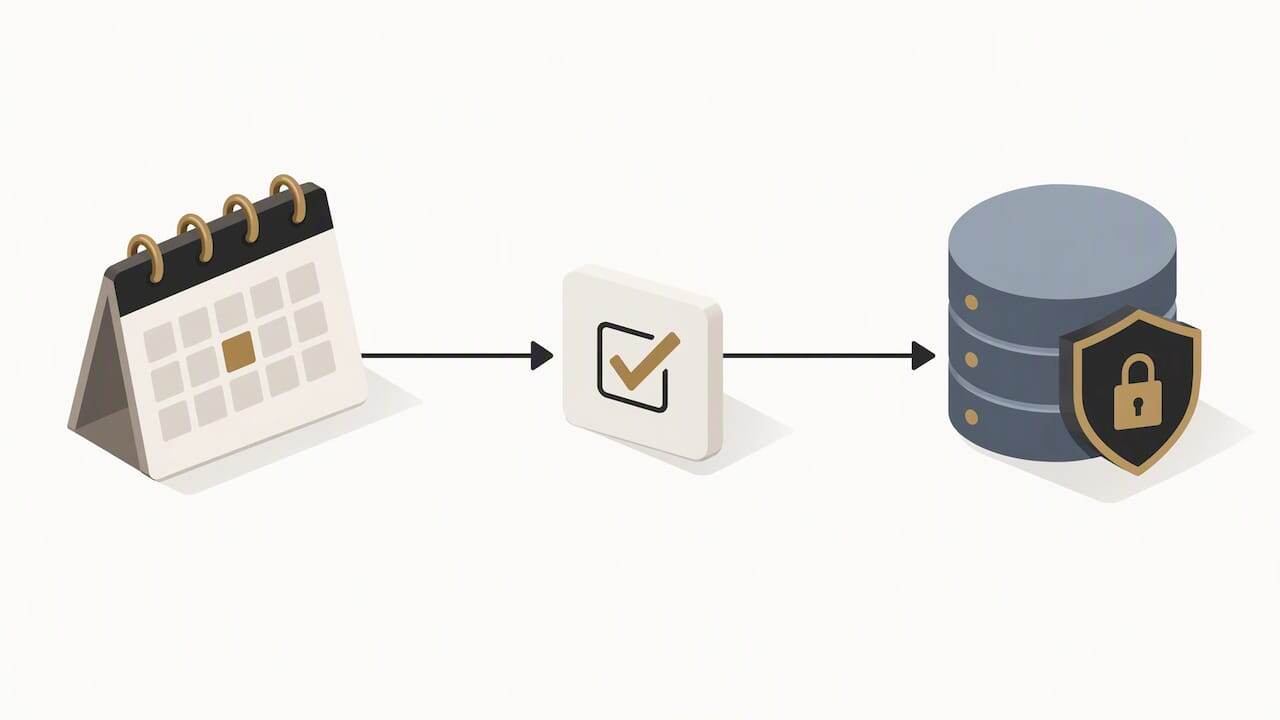
As good practice: audit your contact lists regularly, keep consent records, limit content to what is strictly informative and always offer an easy way to opt out. When the volume of data you process grows or you have doubts about the applicable legal basis, it is worth consulting a data protection officer or a specialist adviser.
What a virtual assistant adds to managing reminders
An AI-powered virtual assistant adds a layer that simple automatic sending does not cover: conversation. It replies in real time, even outside working hours, adapts its tone to each business's own vocabulary and fills cancelled slots automatically without anyone having to ring round the waiting list.
For a service business, the indicators that improve with this kind of solution are concrete: the confirmation rate across all appointments sent, fewer no-shows and the time the team no longer spends handling cancellations by phone.
Perspective: when it makes sense to move to conversational automation
Conversational automation is the natural next step when appointments and client conversations become frequent and repetitive. The rule of thumb is simple: automate as soon as the time it saves outweighs the time it takes to set the system up.
That said, the priority should never be just cutting costs. A well-configured reminder improves the client experience and respects the law; when those two things fail, no time saving makes up for the problem.
How we help you organise your appointments on WhatsApp
Managing a service business's diary with phone calls, scattered messages and manual reminders eats up hours that could go on looking after clients. An AI-powered virtual assistant can reply on WhatsApp in real time, even outside your working hours, and adapt to your business's own tone and vocabulary so every conversation sounds natural.
When an appointment is cancelled, a system can fill the slot automatically by offering it to the waiting list, without anyone lifting a finger. Unlike some booking systems, some virtual assistants charge no commission per appointment, so the business keeps everything it bills.
- If you want WhatsApp to answer on its own and appointments to be booked, changed and cancelled without phone calls, the Esencial plan is the starting point.
- If you need to fill cancelled slots from the waiting list, the Pro and Premium plans include it, along with the weekly summary and the business report; Premium adds a Stripe deposit at booking.
- The setup has a fixed price depending on the plan you choose, and you can see the full details on our plans and pricing page.
You can write to us to see how it fits your day-to-day.
Frequently asked questions
How do you send appointment reminders on WhatsApp?
You send them by setting up an approved template, a trigger tied to the appointment date and an integration with the business's diary or CRM. The most reliable route for medium or high volumes is the WhatsApp Business API through a BSP provider, or a virtual assistant that automates the whole process.
What is the best free app for appointment reminders?
There is no free app that reliably covers automatic WhatsApp sending at scale, because the WhatsApp Business API requires a technical integration and template messages are charged. Booking tools with built-in reminders are the most accessible way to start, although their templates are limited.
How do you set up reminders on WhatsApp?
You need a database of validated numbers, recorded express consent and a template with variables such as the client's name, the service and the date. The message is scheduled to go out at a set time before the appointment, usually between 72 and 24 hours ahead.
Is there a WhatsApp bot that can send reminders for me?
Yes, there are AI-powered virtual assistants that automate sending reminders and also handle client replies in real time. Some assistants combine this automation with filling cancelled slots and syncing directly with the business's diary.
Is it legal to send appointment reminders on WhatsApp in Spain?
It is legal when there is prior, express and documented consent for that channel, together with clear information about the purpose of the processing and how to withdraw consent. Rulings by the Spanish Data Protection Agency show that the risk arises when that consent is missing, not from using WhatsApp as such.
Sources
More articles

11 October 2026
Appointment confirmation messages: templates ready to use today
Use appointment confirmation messages with ready-made templates for WhatsApp and email. Get more replies, cut no-shows and adapt every text to your business.

10 October 2026
Hotel no-show charges: when they can charge you and how to complain
Find out when a hotel can charge you for not turning up, what conditions it must meet and how to claim a refund if force majeure kept you away.