Taking payments over WhatsApp: the safest, quickest method for your business
4 October 2026
For service businesses, the safest and most practical option is to send payment links through an external payment gateway, or to use in-app payments where WhatsApp offers them in your market. Avoid asking for card details or direct bank transfers in the chat. Below we explain how to put this into practice step by step, with templates and precautions against fraud.
In short:
- The safest and most practical option is to send payment links from external gateways, or to use in-app payments where they are available in your market.
- Issuing receipts, recording transactions and never asking for sensitive data in the chat are essential to reduce risk.
- Most scams give themselves away through requests for non-reversible payments, pressure or fake links, and acting quickly when something looks suspicious is key.
- For businesses with volume, integrating a payment gateway or the WhatsApp API improves automation and tracking, but it needs technical set-up and reliable records.
- In appointment-based businesses, sending the link right after the booking and a reminder 48 hours beforehand helps reduce cancellations and improve collection.
Table of contents
- Practical ways to request and receive payments over WhatsApp
- Effective payment messages: templates, tone and timing
- Security and warning signs of fraud when taking payments over WhatsApp
- Practical integration: the free app versus business solutions
- Putting it into practice in appointment-based businesses: hair salons and beauty centres
- The author's view: put experience and protection first when taking payments
- Vural: automate deposits and bookings without losing control
- Frequently asked questions
- Sources
Practical ways to request and receive payments over WhatsApp
Not every way of taking payments over WhatsApp works the same, and not all of them are available in every country. Before choosing one, it is worth understanding what each option offers and where it falls short.
In-app payments, known as WhatsApp Payments, exist in specific markets and require local set-up: a linked bank account, identity verification and PIN confirmation for every transaction. WhatsApp launched this feature in India by integrating the UPI system, but it is not available everywhere, so first check whether your country supports it.
When in-app payment is not available, the most robust alternative is to create a payment link from an external gateway and send it in the chat. The customer pays in an environment controlled by the provider, not inside the conversation, which makes reconciliation easier and avoids exposing sensitive data.
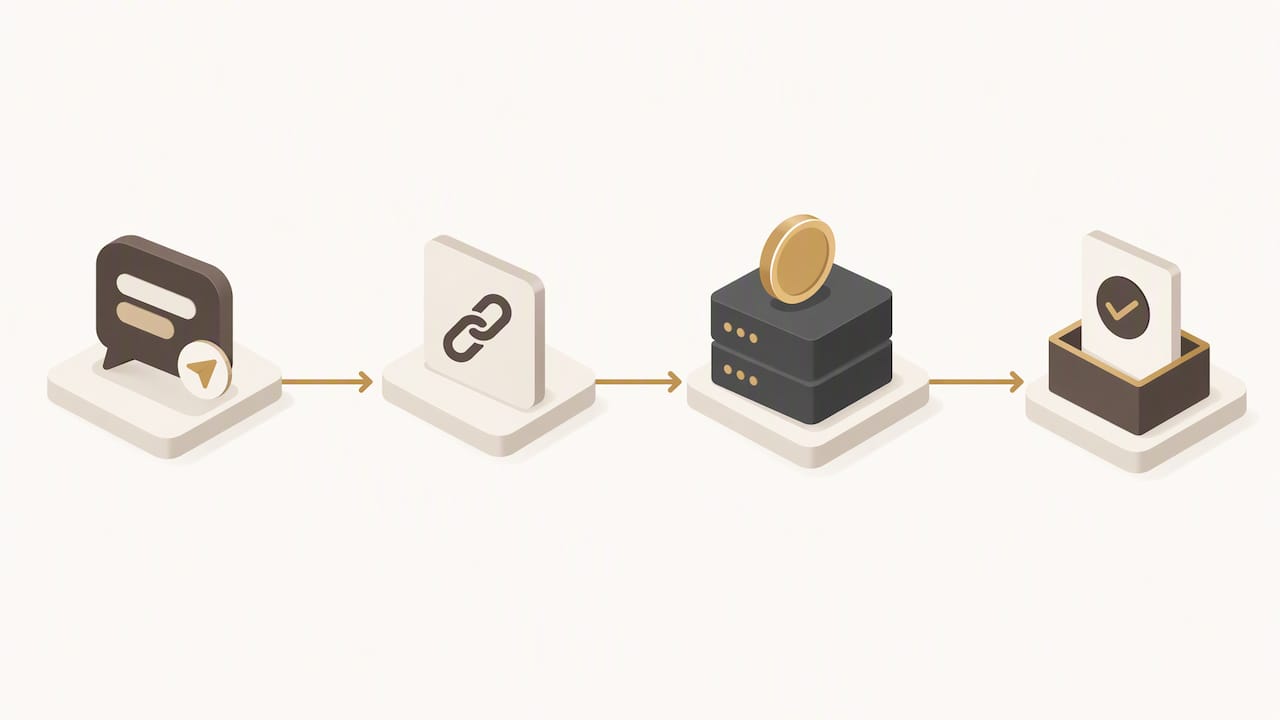
Some markets also have a request-payment feature, which lets you ask for an amount directly from a message; the WhatsApp Help Center describes the flow: the customer reviews the request, selects their linked account and confirms with their PIN.
Whatever the method, it is worth following this routine:
- Always issue a receipt or a clear reference for the payment received.
- Record the transaction in your management system, not just in the chat.
- Never ask for the full card number or the security code by message.
- Favour links from well-known gateways over direct bank transfers as your first option.
Effective payment messages: templates, tone and timing
A well-written payment message has five parts: a short greeting, the reason for the payment, the exact amount, the payment link and a contact for questions. This structure reduces friction and stops the customer seeing the message as spam.
- Before the service (deposit): “Hi [name], to confirm your appointment on [date] we ask for a deposit of [amount]. You can pay it here: [link]. Any questions, just message us.”
- Reminder before the final payment: “Hi [name], just a reminder that your appointment is tomorrow at [time]. The outstanding amount is [amount], and you can pay it with this link: [link].”
- After the service: “Thanks for your visit, [name]. Here is the link to complete the payment of [amount]: [link]. We’ll send you the receipt as soon as it is confirmed.”
Send no more than one payment reminder per appointment, unless the customer has not replied after 48 hours. A second reminder sent too soon puts people off and damages the business relationship.
Pro tip: keep every approved template in your system and record the date it was sent together with the customer’s consent to receive commercial messages.
Security and warning signs of fraud when taking payments over WhatsApp
Taking payments in a chat carries risks you should understand before automating anything. The FTC warns that asking for payment only through non-reversible methods, such as direct transfers, cryptocurrency or gift cards, is one of the clearest signs of a scam.
Watch out for these warning signs:
- Pressure to pay immediately, or threats that you will lose the appointment or the service.
- Requests for non-reversible methods as the only payment option.
- Links that do not match your gateway’s official domain.
- WhatsApp Business accounts with no visible verification.
Losses from scams involving non-reversible payments are very high, which makes it clear why these methods are best avoided as your main way of getting paid.
If you spot a suspicious payment, contact the gateway or bank involved straight away: the FTC recommends acting quickly because the options for reversing it depend on the type of transfer and how much time has passed. Keep screenshots, reference numbers and any communication as evidence before reporting it.
Practical integration: the free app versus business solutions
The free WhatsApp Business app works well for manual communication and low volumes, but it is not designed for payment campaigns at scale. Sending bulk messages from it can get the account blocked for misuse.
As the volume of payments grows, integrating a payment gateway or adopting the WhatsApp Business API improves automation and reconciliation. Automated reminders sent this way usually get opened more than email, although they need technical set-up first.
The recommended flow for keeping reliable records is: order or booking, payment link created, automatic confirmation and receipt issued. Before scaling up, make sure you cover this minimum checklist:
- Choose a gateway that creates traceable payment links.
- Decide when to take payment: a deposit at booking or payment after the service.
- Get message templates approved that comply with the platform’s policies.
- Set up automatic reconciliation with a unique reference per transaction.
- Keep a record of each customer’s consent to receive payment messages.
Putting it into practice in appointment-based businesses: hair salons and beauty centres
In appointment-based businesses, such as hair salons, beauty centres or physiotherapy centres, payment works best when it is built straight into the booking flow. Sending the payment link right after confirming the appointment, and repeating the reminder 48 hours beforehand, reduces last-minute doubts.
A booking assistant such as Vural sends the deposit link at booking, for the services you choose, and replies to customers on WhatsApp around the clock, even outside working hours, adapting its tone to each business’s own vocabulary. This lets you fill cancelled slots by offering them straight away to the waiting list, without anyone having to manage the chat by hand.
- Automate sending the payment link as soon as the booking is confirmed.
- Turn on a payment reminder before the appointment to cut no-shows.
- Offer the freed-up slot to the waiting list as soon as a cancellation comes in.
Pro tip: measure the percentage of payments completed before the appointment, the drop in no-shows and the average time to reconcile each payment: these are the three metrics that best show whether the system is working.
The author's view: put experience and protection first when taking payments
Automating payments over WhatsApp only makes sense if it protects both the business and the customer. The advice is clear: secure links, measured messages and a record of every transaction, never shortcuts for convenience.
Vural: automate deposits and bookings without losing control
Handling deposits and appointments at the same time takes time that most service businesses do not have to spare. With Vural we bring the conversation, the booking and the deposit together in a single flow, with no commission per booking.
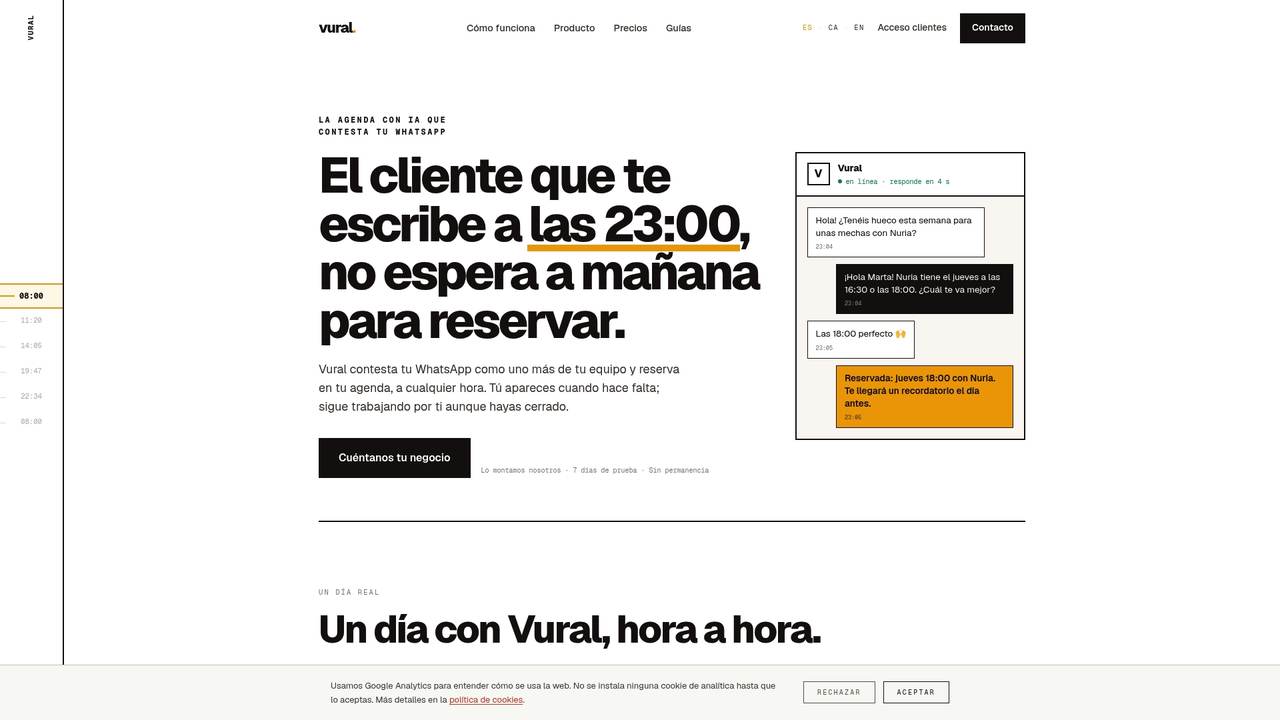
- We reply on WhatsApp around the clock, including outside your working hours.
- We adapt the tone and vocabulary to each business’s own style.
- We send the deposit link and handle it within the same conversation (Premium plan).
- We fill cancelled slots by offering them automatically to the waiting list.
The right plan depends on what you want to automate and the level of service you need: have a look at the available plans and find the one that suits your business.
Frequently asked questions
How do you receive money over WhatsApp?
Through a payment link created by an external gateway or, in markets where it is available, through in-app payments with PIN verification. The WhatsApp Help Center describes the confirmation flow step by step.
How can I tell if I’m being scammed on WhatsApp?
Be wary if you are asked to pay only with non-reversible methods such as direct transfers or cryptocurrency, or if you are pressured to pay immediately. The FTC points out that this combination is one of the clearest signs of fraud.
Will WhatsApp charge for sending messages?
When you use the WhatsApp Business Platform, rates depend on the country and the conversation category; the platform publishes its own billing policies for each market. The free app, used manually, has no cost per individual message.
Does WhatsApp Business cost anything?
The free WhatsApp Business app costs nothing for basic use, but integrating payment gateways or moving up to business solutions like the ones we offer at Vural means a monthly subscription: at Vural, plans start at €79 a month plus a fixed-price setup. Vural is not a payment gateway: the only thing it collects is the deposit at booking.
Sources
More articles
11 October 2026
Appointment confirmation messages: templates ready to use today
Use appointment confirmation messages with ready-made templates for WhatsApp and email. Get more replies, cut no-shows and adapt every text to your business.

10 October 2026
Hotel no-show charges: when they can charge you and how to complain
Find out when a hotel can charge you for not turning up, what conditions it must meet and how to claim a refund if force majeure kept you away.