How to personalise WhatsApp replies: a practical guide for 2026
12 October 2026
The quickest way to personalise your WhatsApp replies is to combine quick replies with automatic greeting and away messages, both available in WhatsApp Business. If your business runs on appointments (hair salons, dental clinics, beauty salons), that basic level falls short: that is when it pays to bring in an AI booking solution such as Vural to reply and take bookings outside opening hours too.
In short:
- WhatsApp Business lets you save 50 quick replies, but the greeting only reaches new contacts or those inactive for 14 days, and it is no use for reminders.
- Vural offers round-the-clock appointment booking, a Google Calendar connection, no commission per booking and a fixed-price setup, with the monthly fee starting only once it works.
- Keep the AI to routine conversations, hand sensitive cases to a person and collect only the name, the usual service and the date of the last appointment.
- Before signing up, try automation for two weeks and compare appointment confirmations with the number of conversations that need a person to step in.
Table of contents
- Why personalising matters and what to expect from it
- WhatsApp's built-in features versus external platforms
- How to set up quick replies, greeting and away messages step by step
- Personalising with AI without losing the human touch
- Ready-to-use templates and examples
- When to automate and when to put people first
- How to get started with Vural to personalise replies and manage appointments
- Frequently asked questions
- Sources
Why personalising matters and what to expect from it
When a customer messages you on WhatsApp they expect an almost instant reply, and every minute of waiting counts against you. Personalising your replies is not just a cosmetic touch: it changes how many conversations end in a confirmed appointment.
For appointment-based businesses the benefit is twofold. On the one hand, you improve the experience because the customer feels you are writing to them, not to a generic bot. On the other, you cut empty slots in your diary because you reply even when you are not in front of your phone.
- You reply faster and stop customers going to a competitor for lack of an answer.
- You win back conversations that used to be lost at night or at the weekend.
- You cut no-shows when you add personalised reminders with the customer's name and the appointment time.
Greeting messages have a limited reach: the WhatsApp Business automatic greeting only reaches new users or people who have not written in the last 14 days, so it is no use as a recurring reminder for regular customers.
The built-in features are enough if your message volume is low and your business does not handle appointments. As soon as bookings come into play, AI starts to make a real difference.
WhatsApp's built-in features versus external platforms
WhatsApp Business already comes with personalisation tools designed for small businesses: quick replies with keyboard shortcuts, a greeting message, an away message and labels to sort contacts. They are free, easy to switch on and enough to deal with repetitive questions.
The limit appears when your business needs more than just answering: it needs to book appointments, confirm them, take a deposit or remember each customer's history. That is where other kinds of solution come in:
- Calendar integrations that connect WhatsApp to your diary so bookings happen without manual work.
- Conversational bots that walk the customer through a series of questions before confirming an action.
- Omnichannel platforms that bring WhatsApp, social media and email together in a single inbox.
To decide which kind suits you, look at four things: how many messages you get a day, whether your business works with appointments or only with enquiries, your budget and the privacy requirements that apply to the type of data you handle.
Pro tip: before signing up for any external tool, work out how many appointments you lose each month by not replying outside opening hours: that number alone usually justifies the change.
How to set up quick replies, greeting and away messages step by step
Setting up the three basic WhatsApp Business features takes less than fifteen minutes. Here is how:
- Open WhatsApp Business and go to Business tools.
- Select Quick replies and create a shortcut (for example, “/hours”) with the text you want to reuse; you can save up to 50 different replies.
- Go to Greeting message, turn it on and write the greeting that new customers, or those who have not written to you for 14 days, will see.
- Go to Away message, turn it on and set the times when you want it to be sent automatically.
- Choose who gets the away message: everyone, only people not in your address book, or a specific list.
Some mistakes are easy to avoid if you know about them in advance:
- Do not confuse the greeting message with a reminder: it only reaches new contacts or those inactive for 14 days, never someone who wrote to you yesterday.
- Do not leave the away message as generic text: say when you will be available again to put the customer's mind at rest.
- Review your quick replies every few weeks and delete the ones you no longer use, so you do not waste time hunting for the right shortcut.
If your business works by appointment, it is also worth looking at how to set up a complete away message and how to take bookings directly on WhatsApp without leaving the conversation.
Personalising with AI without losing the human touch
Adding artificial intelligence to your replies does not mean automating everything without control. The aim is for the AI to fill in templates with real customer data, suggest the most suitable reply and handle confirmations and reminders, while you oversee the cases that go off script.
The data that genuinely helps you personalise is limited: the customer's name, the service they usually book and the date of their last appointment. The less data you ask for, the lower the risk of processing information you do not need, something the AEPD (Spain's data protection authority) has penalised in the past when consent to process personal data was not freely given, specific or informed.
- Decide which conversations the AI can close on its own and which must go to a person.
- Keep a record of automated conversations so you can review mistakes or complaints.
- Always leave a clear way to talk to someone on the team if the customer asks.
WhatsApp automation does not operate in a regulatory vacuum: in December 2025 the European Commission opened an antitrust investigation into AI providers' access to WhatsApp's business infrastructure, which confirms that this area is under active scrutiny and that it makes sense to choose providers that operate transparently.
On top of that, in January 2026 WhatsApp Channels were designated a very large online platform under the Digital Services Act; private messaging, where you talk to your customers, falls outside that designation.
Ready-to-use templates and examples
Having templates ready saves you time and avoids improvised replies that do not convey the image you want to give. These work as a starting point and can be adapted in seconds:
- Opening greeting: “Hi [name], thanks for getting in touch. How can we help you today?”
- Appointment confirmation: “Your appointment for [service] is confirmed for [date] at [time]. See you then.”
- Reminder: “Hi [name], just a reminder of your appointment tomorrow at [time]. Reply CONFIRM or CANCEL.”
- Filling a cancelled slot: “A slot has come free on [date] at [time]. Would you like it?”
The tone depends on your business: a dental clinic usually prefers a more formal register, whereas a hair salon can get away with a friendly greeting using the customer's first name. Either way, inserting two or three variables (name, date, service) is enough to stop the message sounding generic. You can find more complete examples in our collection of templates for businesses.
When to automate and when to put people first
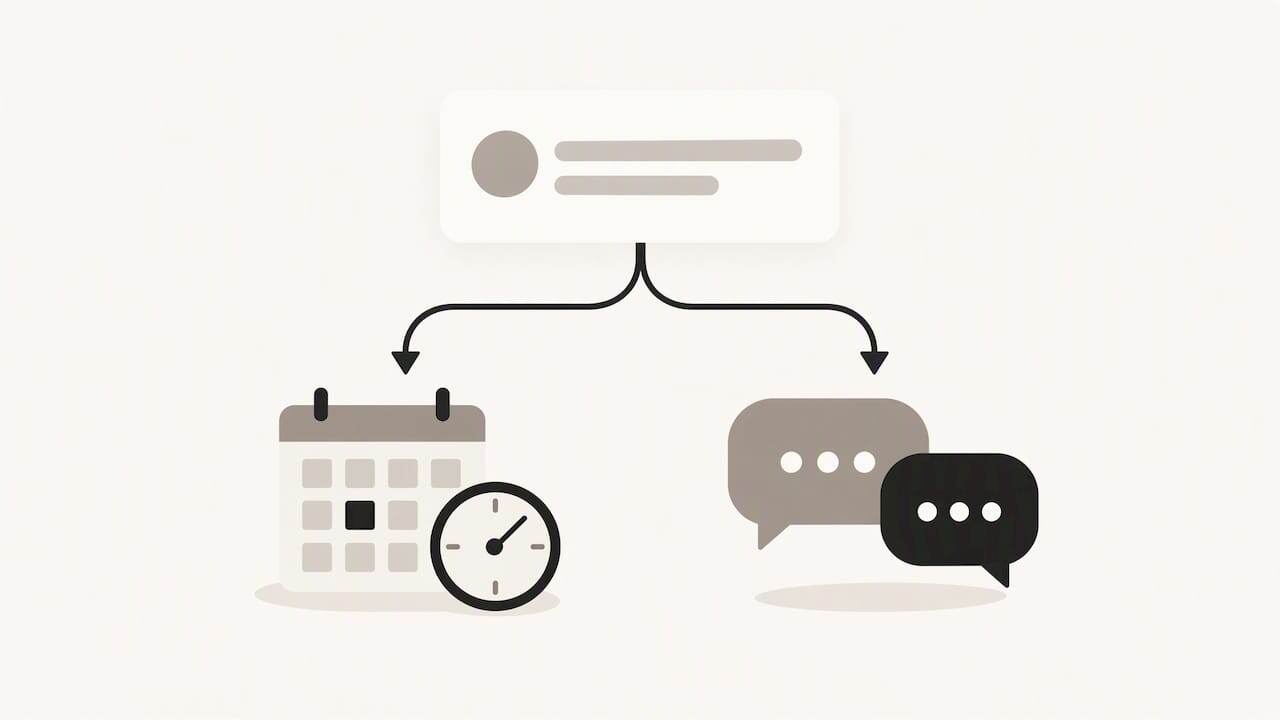
Automation makes sense when your message volume is more than you can handle by hand or when most enquiries are repetitive: opening hours, prices, availability. A person is still better when the conversation is sensitive or involves a particular negotiation.
A practical recommendation: run a two-week pilot and measure just two things, the appointment confirmation rate and how many conversations get passed to a person. Those two numbers will tell you whether automation suits your business before you commit long term.
How to get started with Vural to personalise replies and manage appointments
If your business lives on appointments, the real advantage is not just replying faster, but having someone (or something) keep taking bookings after you have closed. The AI can reply on WhatsApp in real time even outside your working hours, learn your business's own tone and vocabulary and, on the Pro and Premium plans, offer cancelled slots to people on the waiting list, all in one place instead of spread across several apps.
- Appointments are handled and booked 24 hours a day, including weekends and bank holidays.
- It can be connected to Google Calendar so your diary is always up to date.
- There is no commission per booking, unlike other platforms in the sector.
- We set it up with your business's details: the setup has a fixed price depending on the plan, and the monthly fee starts once it works.
You can see all the details and the plans on Vural.
Frequently asked questions
How many quick replies can I save in WhatsApp Business?
You can save up to 50 different quick replies, each with its own keyboard shortcut. On the desktop version some media features may behave differently from the mobile app.
Who gets the WhatsApp greeting message?
The greeting message is only sent to new contacts or to people who have not written in the last 14 days. It is no use as a reminder for customers who have written to you recently.
Is it legal to use WhatsApp to send business reminders?
It depends on how you handle customer data: the AEPD has already penalised cases in which personal data was processed without valid consent. Asking only for the data you really need and explaining what it is used for reduces that risk.
What is the difference between built-in automatic replies and an AI solution such as Vural?
WhatsApp's built-in replies cover basic greetings and away messages, but they do not handle the actual booking of an appointment or remember the customer's history. A solution such as Vural adds that layer: it books the appointment, sticks to your prices and conditions, and keeps working outside your opening hours.
Do I need a technical team to set up personalised replies?
No, WhatsApp Business's built-in features are switched on from the phone itself in a few minutes. To add AI and appointment management, at Vural our team does the setup, at a fixed price depending on the plan.
Sources
- The Commission opens an antitrust investigation into Meta's new policy on AI providers' access to WhatsApp
- How to use greeting messages | WhatsApp Help Center
- The AEPD fines WhatsApp and Facebook for sharing and processing, respectively, personal data without consent
Further reading
More articles
13 October 2026
Appointment confirmation messages: templates ready to use today
Use appointment confirmation messages with ready-made templates for WhatsApp and email. Get more replies, cut no-shows and adapt every text to your business.
12 October 2026
Advance payment for appointments: how to introduce it without friction
Take payment for appointments in advance over WhatsApp: cut no-shows, forecast income better and stop your team chasing payments by hand.