How to manage the treatment rooms in your beauty salon
24 October 2026

Managing the treatment rooms in a beauty salon means deciding which appointment takes which room, with which therapist and with which equipment, and doing it without double bookings or dead gaps. It takes three things: a single diary, clearly defined preparation and cleaning times, and a quick way of answering booking requests, including outside opening hours. Here we explain how to set it up step by step.
In short
- A treatment room is a shared resource: every appointment ties up a room, a therapist and, sometimes, a machine. Your diary has to cross-check all three.
- Every treatment needs its own preparation and cleaning time. If you don't add it to the duration, appointments overlap.
- Keeping paper, Excel and WhatsApp separate loses information and time. It's best to centralise.
- If you record allergies or treatment history, you are handling health data and the GDPR demands more care.
- Vural answers WhatsApp at any hour and handles bookings with no commission per appointment; on the Pro and Premium plans it also offers cancelled slots to the waiting list.
Table of contents
- Why treatment rooms don't work like an ordinary diary
- Step 1: take an inventory of your rooms
- Step 2: set the real duration of each treatment
- Step 3: one diary for everything
- Step 4: answer bookings as they come in
- Step 5: packages, client records and takings under control
- Health data: what to watch with the GDPR
- A sample day with three rooms
- Our view: what keeps happening in appointment-based businesses
- How Vural helps your salon
- Common mistakes when managing treatment rooms
- Frequently asked questions
- Sources
Why treatment rooms don't work like an ordinary diary
In a hair salon, the diary almost always revolves around the person cutting hair. In a beauty salon there are more moving parts:
- The room: a facial room is not the laser hair removal room.
- The therapist: not everyone does every treatment.
- The equipment: if you only have one radiofrequency machine, it can only be in one room at a time.
- The extra time: changing the couch, cleaning, airing the room and preparing materials.
That's why managing treatment rooms is about making the most of shared resources, not just writing down names and times. A typical slip: a 60-minute appointment takes the room and the system lets someone book a 30-minute one straight after, with no margin to get it ready. The result is a client waiting at reception and the next appointment running late.
Step 1: take an inventory of your rooms
Before touching any tool, write down on a sheet what you have:
- Each room, with a clear name (Room 1, Facial room, Massage room).
- Which treatments each one can host.
- Which fixed equipment it has and which machines move between rooms.
- Who can work in each one.
It's a half-hour exercise that prevents most conflicts. If two treatments share a machine, note it down. That's the detail behind most crossed bookings.
Step 2: set the real duration of each treatment
The duration you tell the client is not how long the room is taken. Separate two times:
- Service time: how long the treatment lasts.
- Preparation and cleaning time: what you need before and after.
This is usually called margin time or a buffer. Here's an example with made-up figures so you can see the logic, not as an industry benchmark:
Treatment Service Margin Room taken Facial cleanse 60 min 15 min 75 min Leg waxing 30 min 10 min 40 min Relaxing massage 50 min 10 min 60 min Machine treatment 45 min 15 min 60 minAdjust the margins to your reality. Time yourself for a week to see how long it really takes to get each room ready, and use that average.
Step 3: one diary for everything
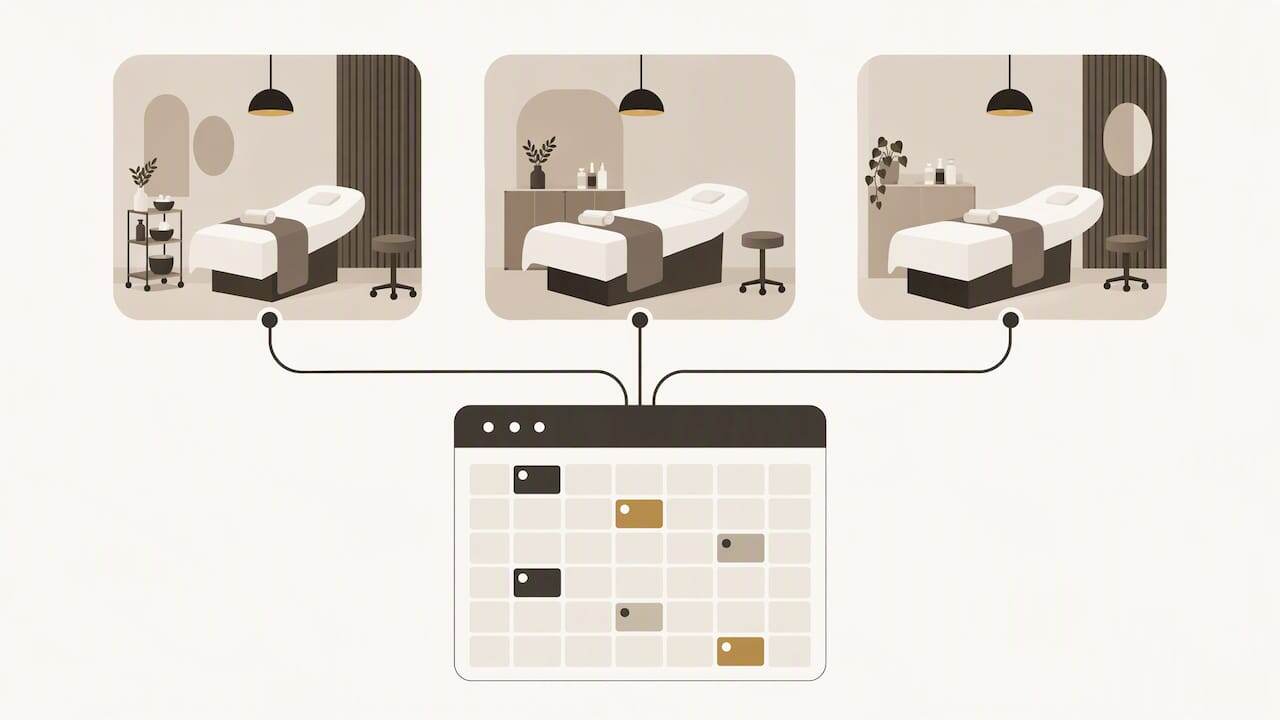
Many salons work like this: a paper diary at reception, client details in an Excel sheet and bookings coming in by WhatsApp, phone and Instagram. It's known as tool-hopping, jumping from tool to tool, and it costs information and time. The answer is to move to a single, centralised system.
In practice, a single diary gives you:
- A view of every room on one screen.
- Fewer mistakes copying appointments from one place to another.
- The client's history to hand when she arrives.
- Real occupancy reports, not hunches.
If you already use Google Calendar, you don't have to start from scratch. There's a guide to syncing your diary with Google Calendar step by step.
Step 4: answer bookings as they come in
Beauty clients tend to message when they have a spare moment: on a work break, in the evening or on Sunday. If you reply the next day, sometimes they've already booked elsewhere.
You can cover this in three ways:
- Answer yourself at any hour. It works for a while, but it wears you out.
- Hire someone extra on reception. It covers opening hours, not the night.
- Use an AI assistant on WhatsApp that checks your diary, offers free slots and confirms the appointment on your terms.
With WhatsApp you can also send reminders and offer free slots. If you'd like message ideas, there are WhatsApp templates for businesses ready to adapt.
What about cancellations
An empty room for 60 or 75 minutes is money that doesn't come back. To recover it:
- Ask for a deposit when clients book long or machine-based treatments.
- Keep a waiting list of clients who would take a last-minute appointment.
- Let people know on WhatsApp as soon as the slot frees up.
If taking deposits worries you, see how payments over WhatsApp work. And if no-shows are your main problem, there's a guide to reducing no-shows with WhatsApp appointments that applies just as well to the treatment room.
Step 5: packages, client records and takings under control
Packages and courses of sessions are common in beauty and are usually where everything stops adding up. A few simple rules:
- Every session used is recorded the same day, in the same place.
- The client record notes the date, treatment, product used and any observations.
- Cashing up cross-checks completed appointments, payments and packages used.
To decide what each record should hold, this guide to the client record may help. It's written for hair salons, but the structure adapts well to a beauty salon.
Health data: what to watch with the GDPR
In beauty you don't just keep a name and a phone number. If you note allergies, pregnancy, medication or reactions to a treatment, you are handling information about the person's health. The AEPD (Spain's data protection authority) explains that health data is specially protected and that processing it is prohibited unless one of the specified circumstances applies, such as the person's explicit consent.
In practice, you should:
- Ask for written consent before noting sensitive data.
- Note only what's necessary for the treatment.
- Check where the data is hosted for any tool you use, including a virtual assistant, and that it complies with the GDPR.
- Control who has access to client records.
If you have doubts about your specific case, consult a data protection officer or an adviser specialising in the GDPR. On using WhatsApp with clients, there's a guide to WhatsApp and the GDPR. And if your salon also offers physiotherapy, this other one explains what a patient record includes and who keeps it.
A sample day with three rooms
Picture a salon with three rooms and two therapists. A well-organised day would look like this:
- 09:00 Facial cleanse in room 1 (75 min with margin).
- 09:00 Massage in room 3 with the other therapist (60 min with margin).
- 10:15 Room 1 free again, ready for the next client.
- 11:30 A client cancels on WhatsApp. The slot is offered to the waiting list.
- 22:40 A client messages to ask for a waxing appointment. She receives the available slots and the booking is confirmed without anyone at the salon having to reply.
There's nothing magic about it: clear rules, a single diary and quick replies.
Our view: what keeps happening in appointment-based businesses
In businesses that live by their diary (hair salons, beauty salons, physiotherapy and dental clinics) the same thing keeps happening: the problem is rarely a lack of clients. It's that bookings arrive through lots of channels, at odd hours, and someone has to deal with all of them.
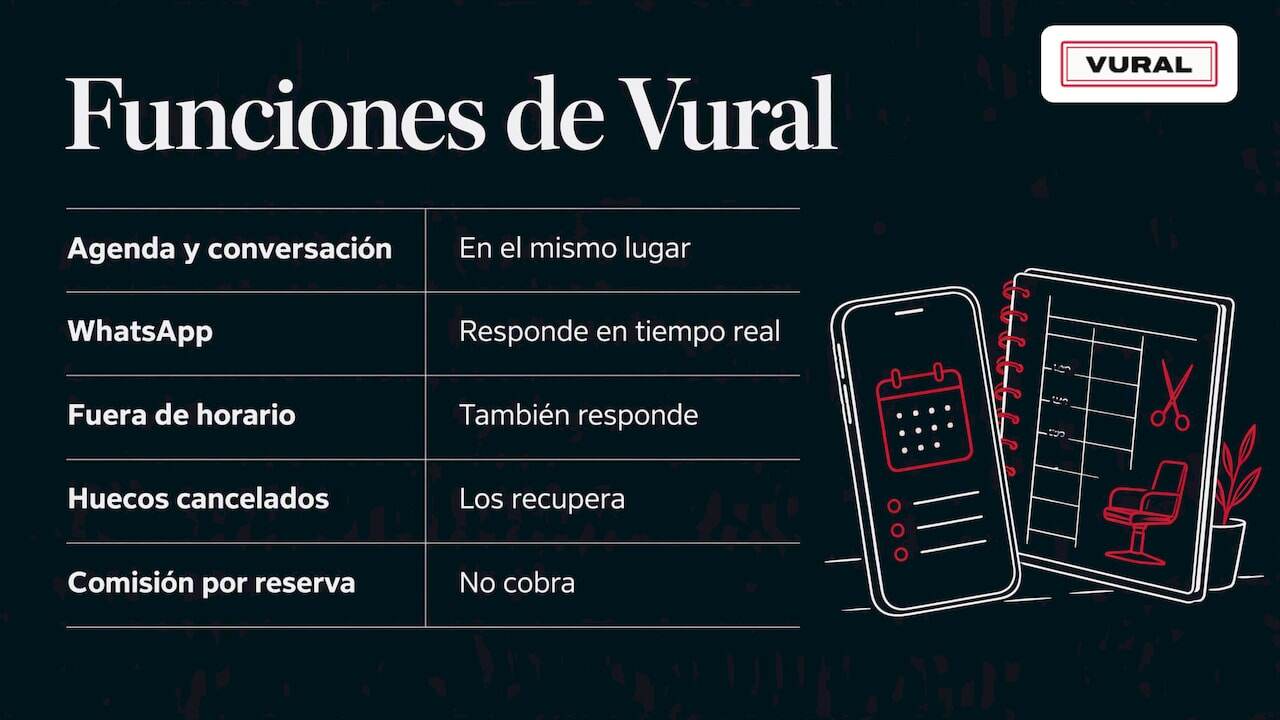
That's why we designed Vural so the diary and the conversation live in the same place. The assistant answers WhatsApp in real time, outside opening hours too, and respects the terms and prices you set. It learns your business's tone and vocabulary, so it doesn't sound like a robot. On the Pro and Premium plans it offers cancelled slots to the waiting list. We charge no commission per appointment and there's no minimum term.
Our advice: before choosing any tool, do steps 1 and 2 of this guide. Once you know how many rooms you have, what each treatment takes up and how much margin you need, any system works better. And if you're unsure how to fit your rooms in, tell us about your own cases: we set it up with your data and the fee starts once it's working.
How Vural helps your salon
Vural is an AI virtual assistant for managing diaries and bookings in service businesses. It works with WhatsApp, lets clients book, change and cancel appointments automatically, keeps a record for each client (past appointments, notes and preferences) and connects to Google Calendar. On the Pro and Premium plans it offers a waiting list and prepares the weekly summary and the business report; a deposit taken through Stripe at booking is only on the Premium plan.
There are four monthly plans:
Plan Price Inicial €79 a month Esencial €199 a month Pro €399 a month Premium €999 a monthPrices exclude VAT. On top of this comes the setup, a one-off fixed-price payment depending on the plan: €480 on Inicial, €900 on Esencial, €1,200 on Pro and from €1,800 on Premium. If you need more AI conversations, there are packs of 250 conversations for €99. We set it up with your data, the fee starts once it's working, there's no minimum term and you can look at Vural's plans at your own pace.
Common mistakes when managing treatment rooms
- Not counting the cleaning margin. It's a very common cause of delays.
- Sharing machines without showing it in the diary. Two rooms, one machine: a guaranteed clash.
- Keeping packages on paper. They get lost and cause arguments.
- Having the diary in one place and the messages in another. You end up double-booking.
- Ignoring last-minute gaps. A free slot nobody is told about is a lost slot.
- Storing health data without consent. It's an avoidable legal risk.
If you'd like more reading on organising your business, there are more guides for appointment-based businesses on the blog. And for clients you haven't seen in a while, there's a guide to reactivating inactive customers.
Frequently asked questions
How much margin should I leave between two appointments in the same room?
It depends on the treatment. A massage with a change of sheet needs less than a facial with machines and sterilisation. Time yourself for a week to see how long it really takes to get the room ready, and use that average as the margin in your diary.
Can I manage my treatment rooms with Google Calendar alone?
You can start that way, with one calendar per room and another per therapist. The limit comes when there are shared machines, packages or deposits, because nothing cross-checks itself. That's why many salons use it as a base and add a system that handles bookings and messages.
Do I have to comply with the GDPR in a beauty salon?
Yes, like any business that stores personal data. If you note allergies or medical history, protection is stricter and you need, for example, the client's explicit consent. For your specific case, consult a data protection adviser.
What do I do with gaps left by cancellations?
Keep a waiting list and let people know on WhatsApp as soon as the slot frees up. Asking for a deposit on long treatments also cuts cancellations. With Vural, on the Pro and Premium plans, the cancelled slot is offered automatically to the waiting list.
Sources
Recommendations
More articles

23 October 2026
Patient care over WhatsApp: a practical guide
How to organise patient care over WhatsApp in your clinic: appointments, out-of-hours replies, GDPR and what to automate without losing the human touch.

22 October 2026
How to connect WhatsApp and Google Calendar for bookings
How to connect WhatsApp and Google Calendar in an appointment business: what is possible, the options, what to watch with data and when to automate it all.